For UK service businesses
Less admin. More control of your business.
Keep customers, quotes, bookings, invoices and payments together — on your laptop and phone.
14 days free · No card required · No automatic charges
On your laptop and phone · iPhone · Android · Web
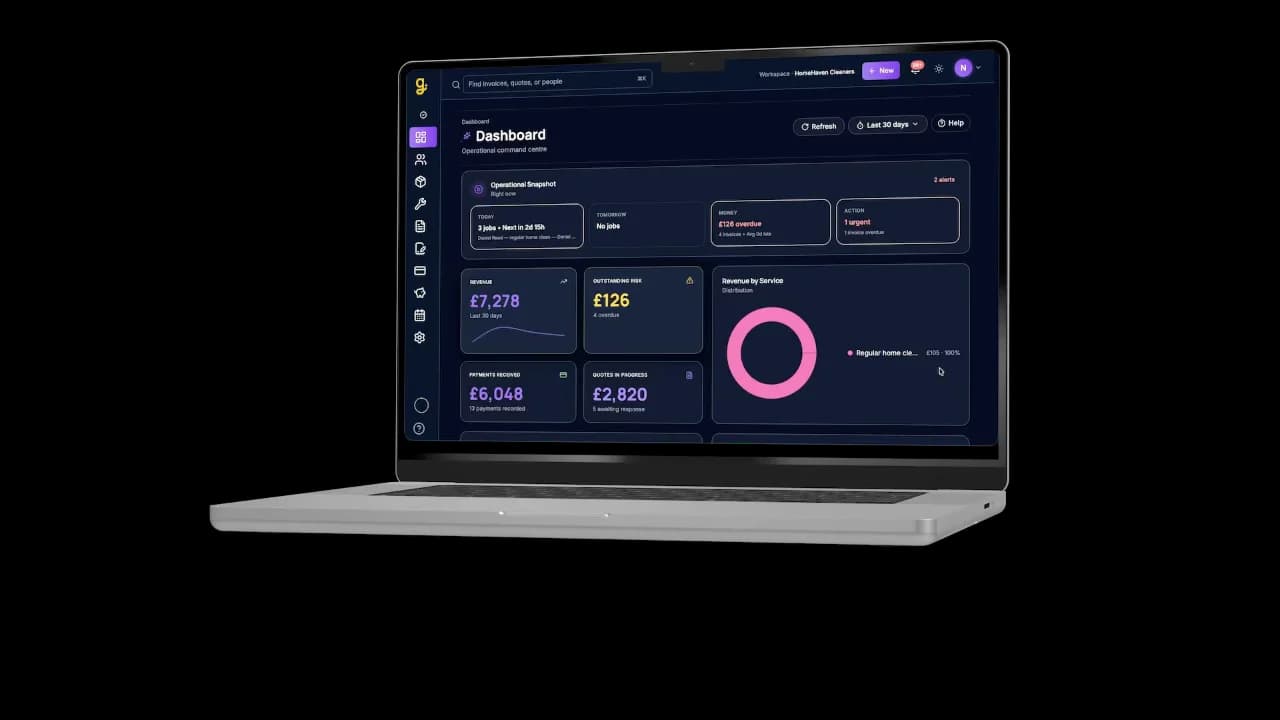
Laptop
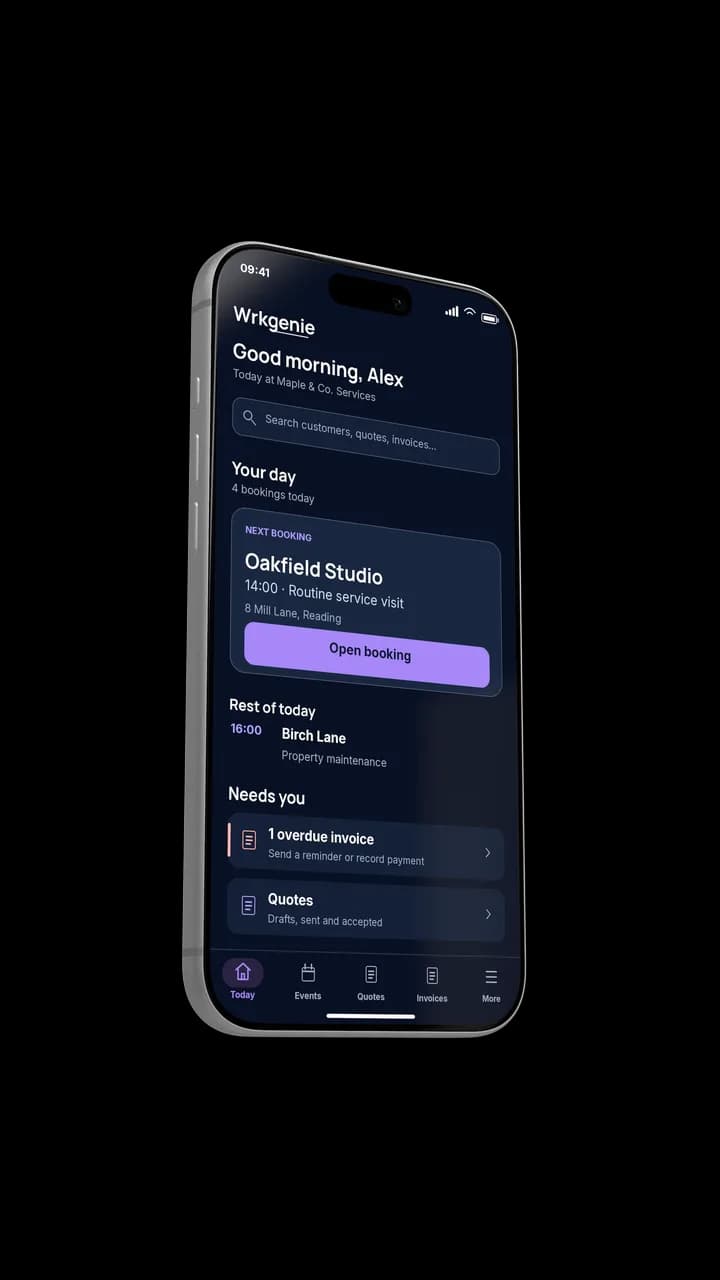
Phone
Plan at your desk. Keep things moving on the job.
Used by Tikky Clean

“WrkGenie has helped us bring everything into one place. We can create professional quotes, manage bookings, keep track of customers and stay on top of invoicing without switching between different systems.”

Tik, Tikky Clean · Read the cleaning business story →
Used by Gloss & Grace

“WrkGenie really helps me stay on top of my mobile business. I use the calendar every day to see what I have booked in.”

Gracie, Gloss & Grace · Mobile hairdresser
You don’t have a tools problem. You have a scattered problem.
A paper diary, a WhatsApp thread and an invoicing app all work fine on their own. The friction starts when the business outgrows keeping them in your head — and the customer, the quote, the job and the invoice no longer line up.
- • Customers in one place, jobs in WhatsApp, invoices in a spreadsheet
- • Quotes that never make it into the diary
- • Invoices written up late, payments chased from memory
- • The whole business living in your head
01
Win the work
Turn an enquiry into a professional quote in minutes — and send it while the job is still fresh.
Turn an enquiry into a quote
02
Do the work
When the quote is accepted, book it straight into your calendar. The customer, the quote and the booking stay connected.
Keep the job and its details together
03
Get paid
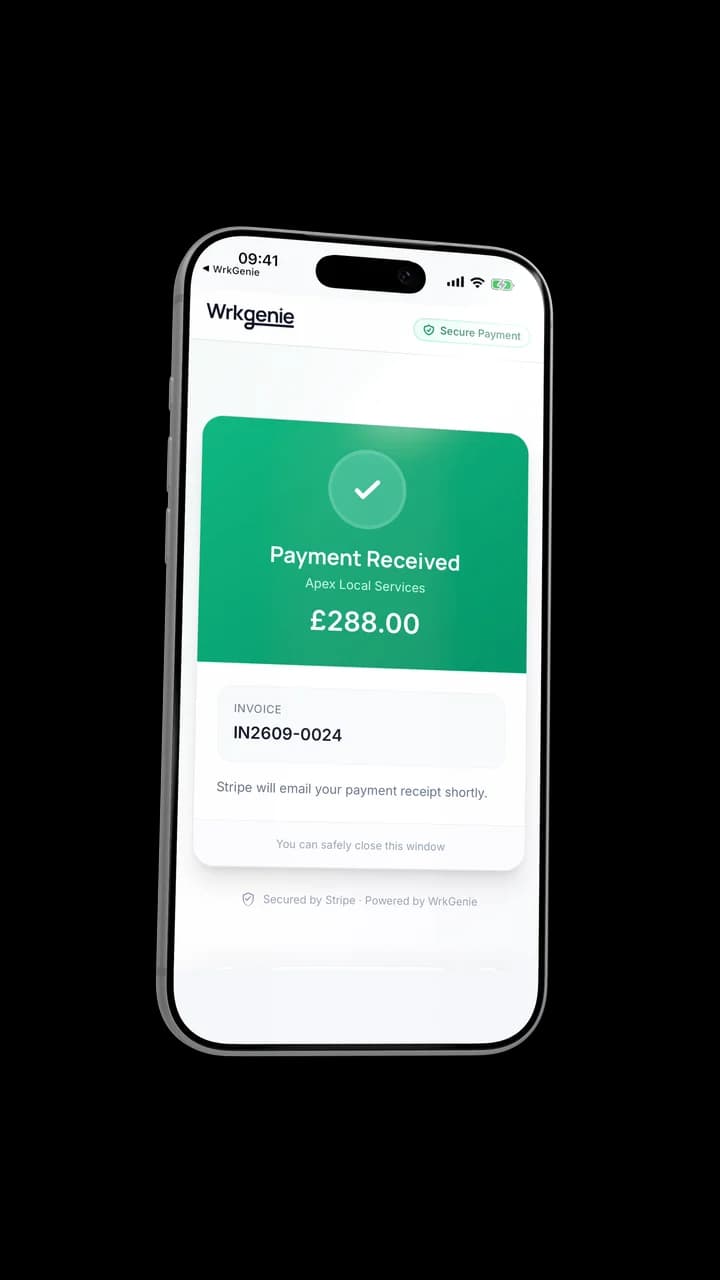
Raise the invoice from the booking, send it, and mark it paid — all from the same record, so nothing slips.
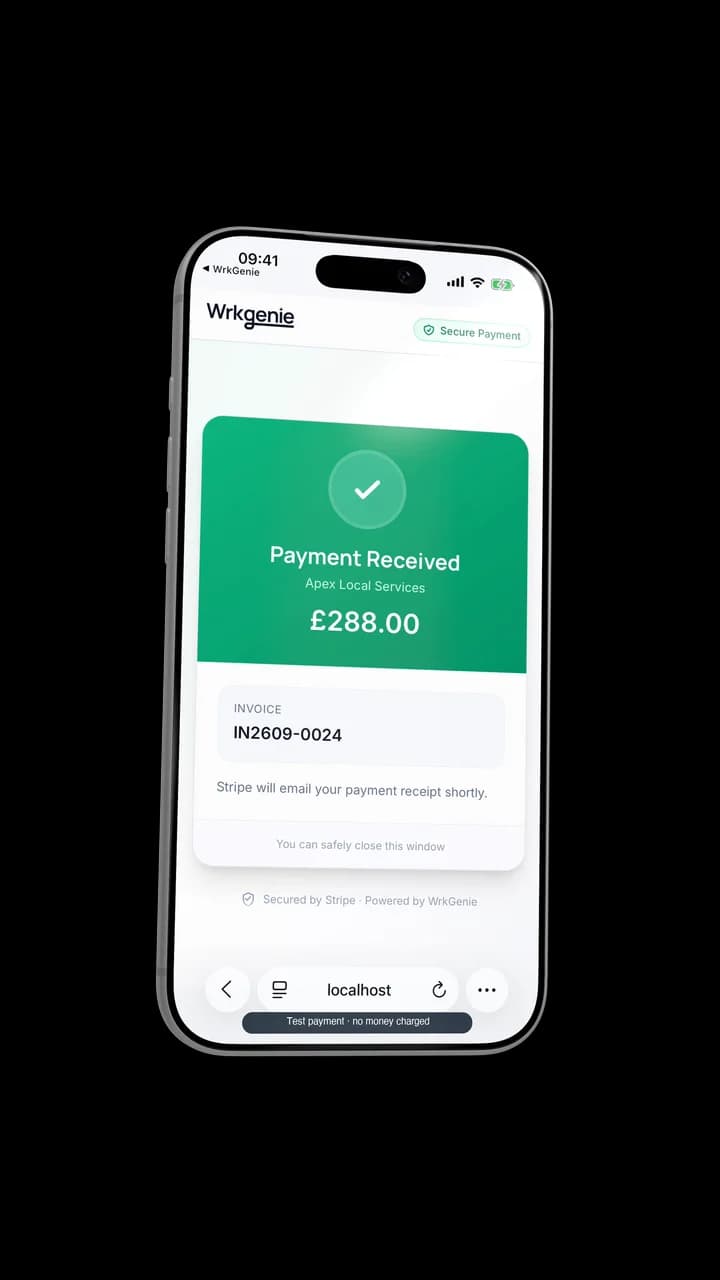
Invoice it, then mark it paid
The real mobile app
Your business, clear on every screen
See today’s work, send a professional quote and follow the same job through to payment.
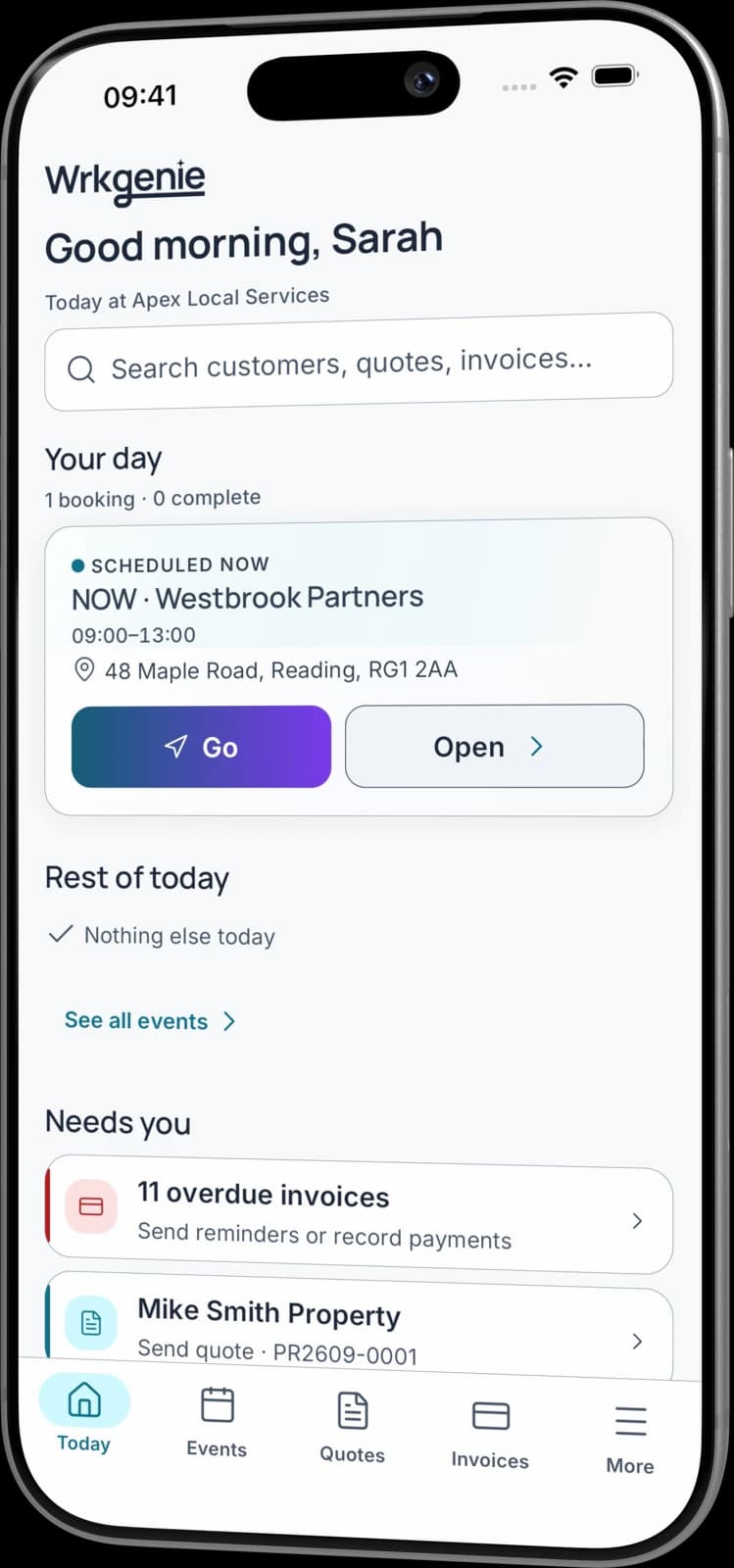
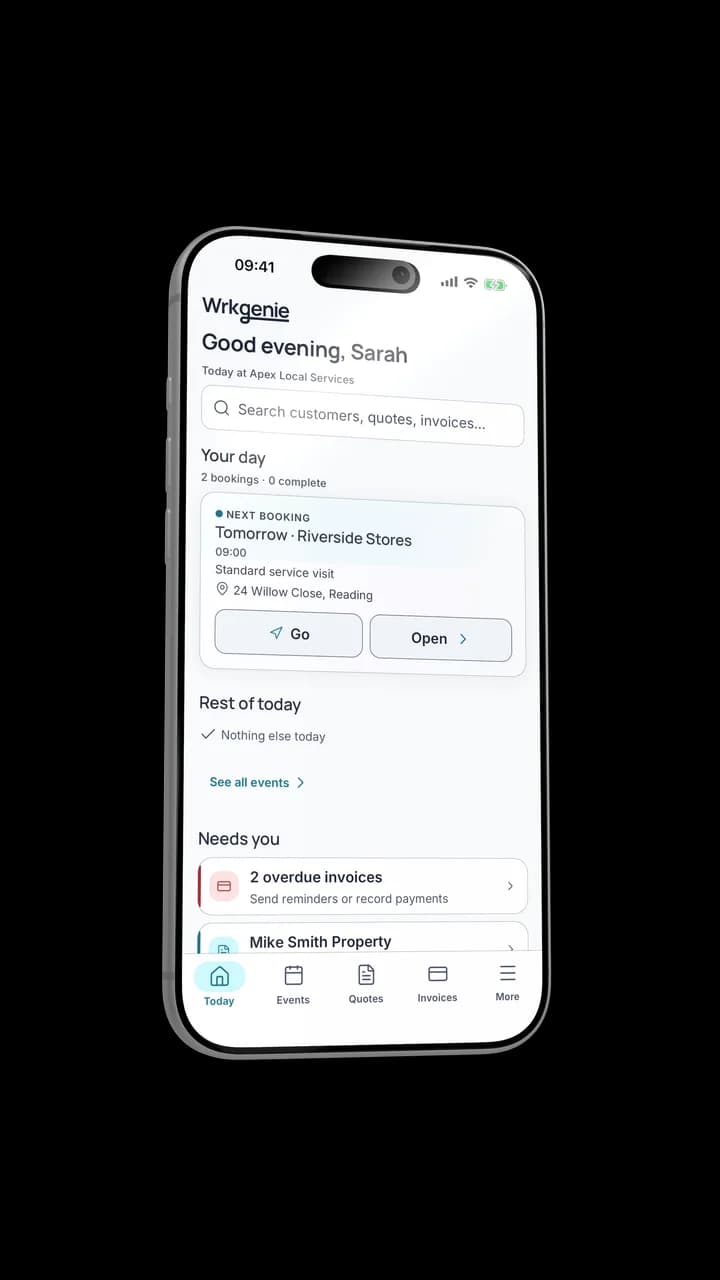
Know what needs attention
See today’s work, money and priorities in one place.
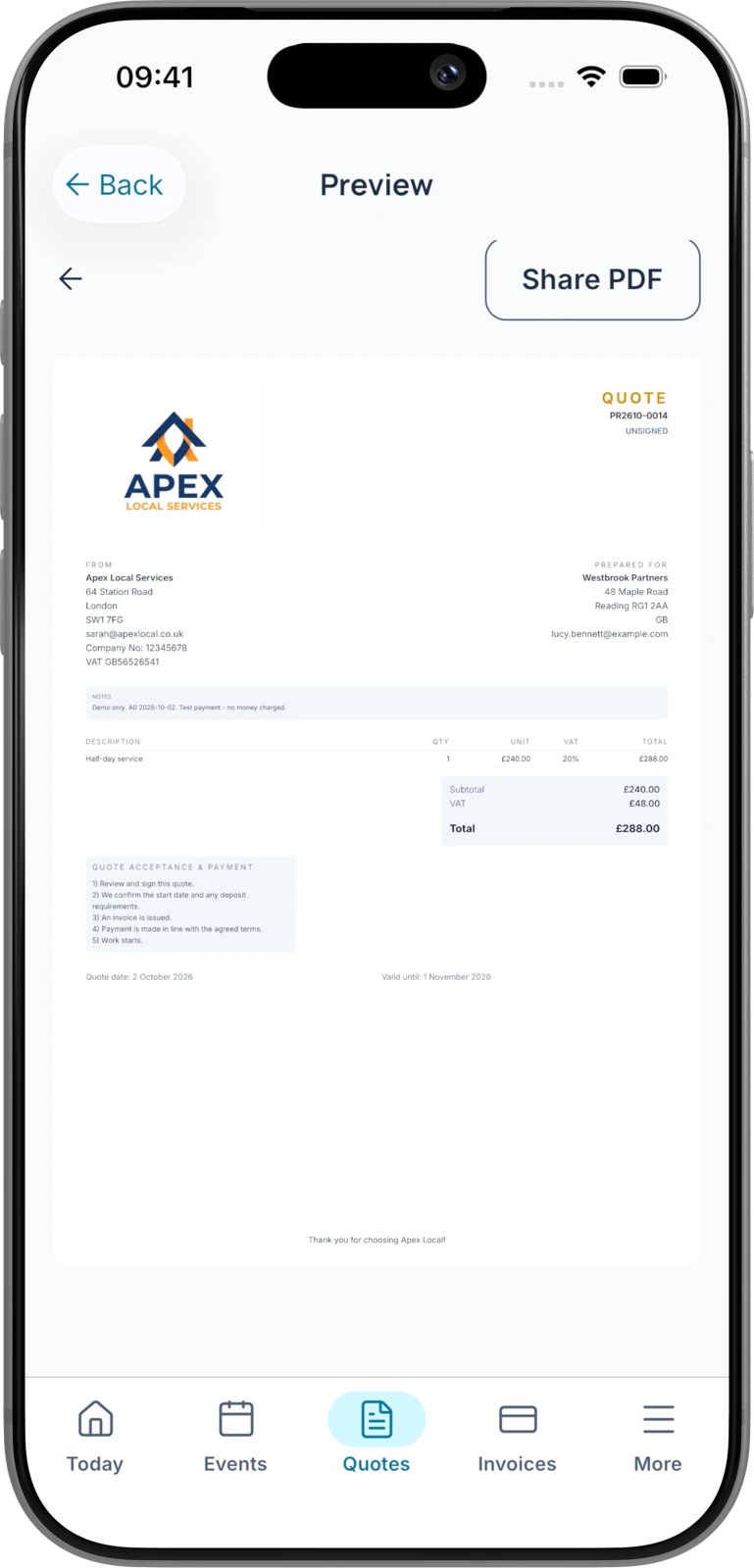
Look professional from the first quote
Create a clear, branded document and send it from your phone.
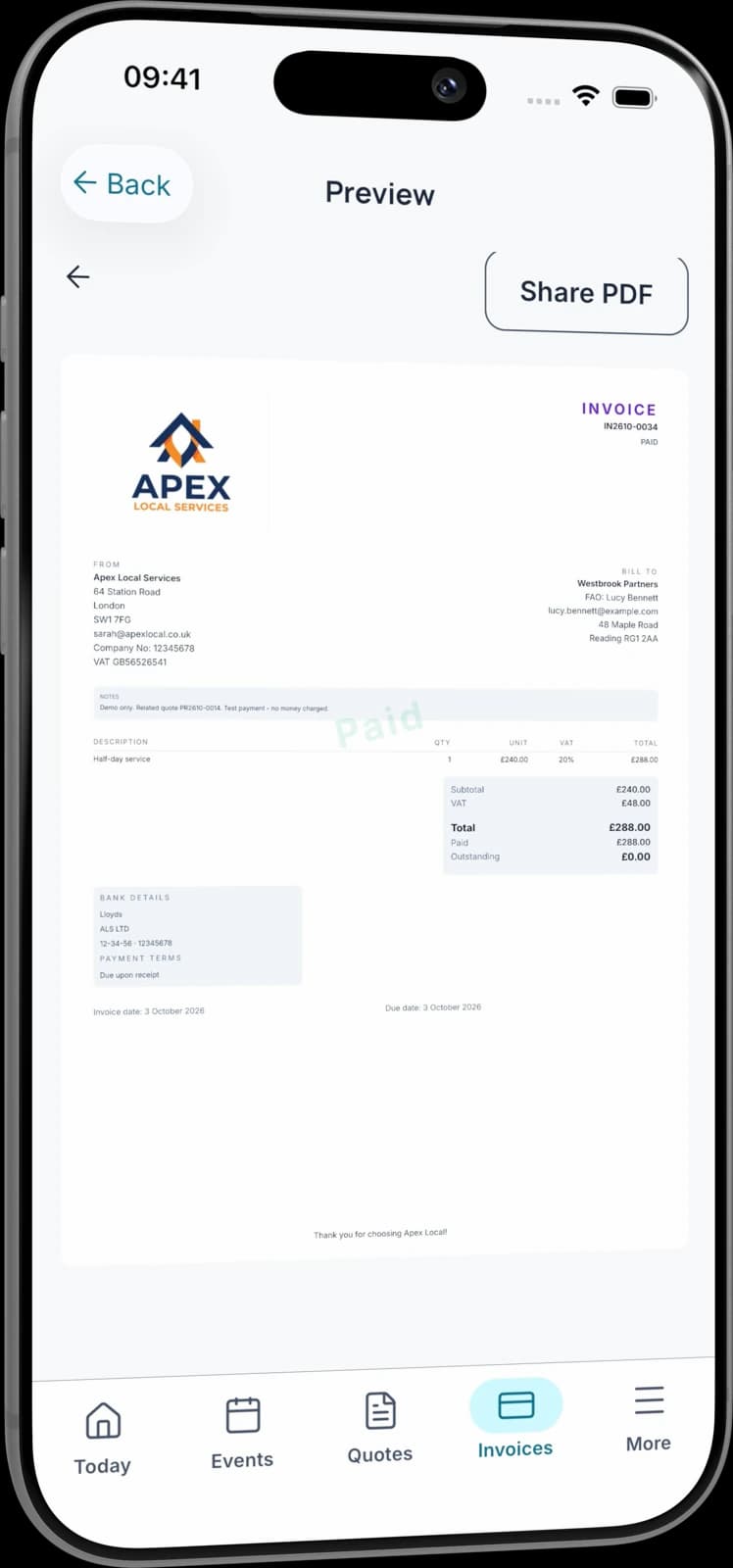
Keep every job connected
Move from quote to invoice and payment without entering everything again.
Built for poor signal
The job doesn't stop when the signal does
Offline working is included on every plan. Keep working with customers, quotes, bookings and invoices when the signal drops. Your changes sync when you’re connected again.
Native iPhone and Android apps, plus the web app
- • See what's booked
- • Raise and update a quote
- • Work through bookings and invoices
- • Record a payment
Online payment processing, e-signing and AI help need a connection. Payment records can be saved offline and synced when you reconnect.
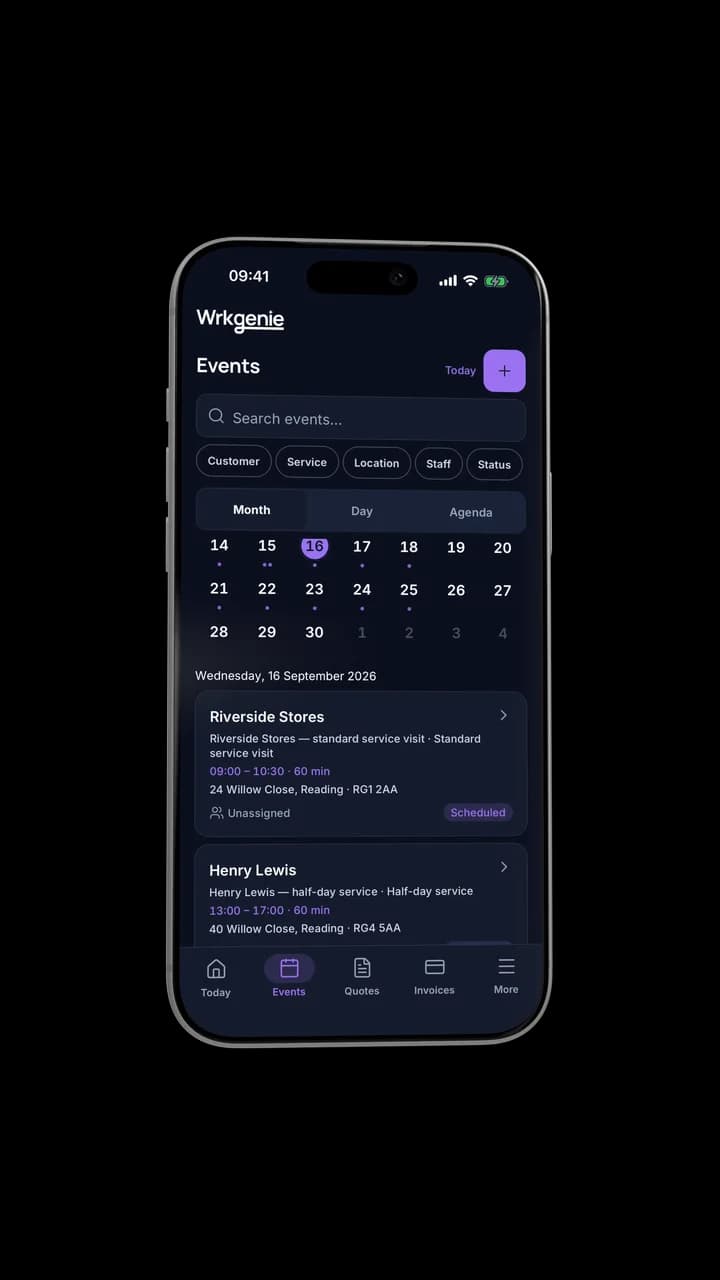
Keep working. Sync when you're back online.
WrkGenie Pro
More control with Pro
See what you’re earning, keep track of expenses, and organise who’s doing the work — whether you work alone or with a team.
- Profit insights and business expenses
- Team and staff bookings
- Customer booking invitations and reminders
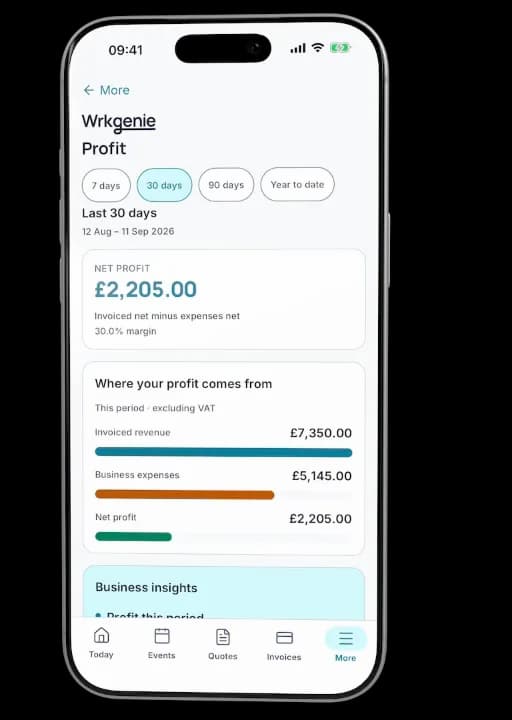
Profit, expenses and bookings in one place
Built for your industry
Built for people doing the work — not running a dispatch centre. Real workflows for real UK service businesses, from sole traders to small teams.
What do you need to do?
Pick the job. WrkGenie handles the rest.
Free tools — no signup
Quick utilities for UK service businesses and the self-employed.
Running a cleaning business? Price your next job:
Real example
Tikky Clean
From scattered messages and spreadsheets to quotes, bookings, customer details and invoices in one place. Tik describes more confidence in quoting and an easier way to organise the team.
A grounded example of how a real service business runs the day in one system.
Read the full story →Simple pricing. No surprises.
Core and Pro: 14 days free · No card required · No automatic charges after the trial.
Android, iPhone, Web and AI writing assistance included with every plan.
On your laptop and phone · iPhone · Android · Web
Core
Everyday essentials for solo businesses
Free for 14 days
- 1 user included
- Customers & contacts
- Products & services
- Quotes with customer e-signing
- Bookings & calendar
- Invoices & payment recording
- Invoice payment links via Stripe
Free for 14 days · No card required · Add payment details to continue
Pro
More control for solo owners and teams
Free for 14 days
- 3 users included
- Everything in Core
- Track business expenses
- Team & staff bookings
- Customer booking invitations & reminders
- Profit dashboard on Web · Profit snapshot on mobile
Free for 14 days · No card required · Add payment details to continue
White Label
Your business. Your branding.
Available through a sales enquiry
- 5 users included
- Everything in Pro
- Custom logo & business branding
- Custom domain
- Google & Outlook calendar sync
- Custom email sending
Contact us to discuss your branding and setup.
Core includes invoice payments. Choose Pro for expense tracking, profit insights and customer booking notifications — whether you work alone or with a team.
Can I take invoice payments on Core?
Yes. Record payments against invoices and let customers pay through an invoice payment link. Online card payments need a connected Stripe account; Stripe processing fees apply.
Is Pro useful if I work alone?
Yes. Pro adds expense tracking, profit insights and customer booking invitations and reminders. You can use those features as a solo owner. Three user accounts and staff scheduling are included if you also need a team.
Do I need to enter my card details?
No — no card is required to start your 14-day free trial. Add your payment details before your trial ends to continue. No automatic charges.
What happens after 14 days?
Your access is paused. Add a payment method and choose a plan to continue — no automatic charges are taken.
Can I cancel easily?
Yes — you can cancel in just a couple of clicks from your account settings. No contracts, no exit fees.
How do I cancel?
Log in to your workspace, go to Settings → Billing, and click Cancel subscription. Your subscription remains active until the end of the current billing period — no immediate cut-off.
Compare what is included
| Feature | Core | Pro | White Label |
|---|---|---|---|
| Invoice payment recording | |||
| Invoice payment links via Stripe | |||
| Bookings & calendar | |||
| Customer booking invitations & reminders | |||
| Expense tracking & profit insights | |||
| User accounts included | 1 user | 3 users | 5 users |
| Role-based permissions | |||
| Read-only (viewer) access | |||
| Admin role | |||
| Invite team members by email | |||
| Team & staff bookings |
Cancel in 2 clicks. No contracts. No exit fees.
Real human support — we reply within one working day.
All prices in GBP (£). WrkGenie is not currently VAT registered. Prices shown are the full amount charged. Plans renew automatically each month from the recurring price shown. Cancel anytime in your account settings. Payments processed securely by Stripe. See our Billing Terms and Refund Policy.
Job management, invoicing, quoting and scheduling software for UK service businesses
Compare WrkGenie, read practical guides for UK trades, or try a free tool.
Questions, answered
Still have questions? Here are the most common things people ask before getting started.
Getting started
Pricing & billing
Product
Trust & data
Support
Ready for a more organised working day?
Start your free 14-day trial and see how much lighter the day feels when quotes, bookings and invoices live in one place.
On your laptop and phone · iPhone · Android · Web
14 days free · Core £19.99/month for 1 user · Pro £39.99/month for 3 users
No card required to start · No automatic charges after the trial · Cancel anytime