For UK service businesses
The product journey, from first enquiry to paid
This is what a normal working day looks like when you run the business in WrkGenie. One customer. One quote. One booking. One invoice. One payment. No juggling five tools.
From £19.99/month · Works from your phone · No setup calls
Start your 14-day free trial01 · The enquiry arrives
It starts with a message, a call, or a repeat customer
A new enquiry comes in. A regular customer calls back. Someone drops you a message on WhatsApp. It all starts the same way: a job needs to be handled properly.
In WrkGenie, that first contact becomes a customer record straight away. No notebooks. No scraps of paper. No trying to remember what was said later.
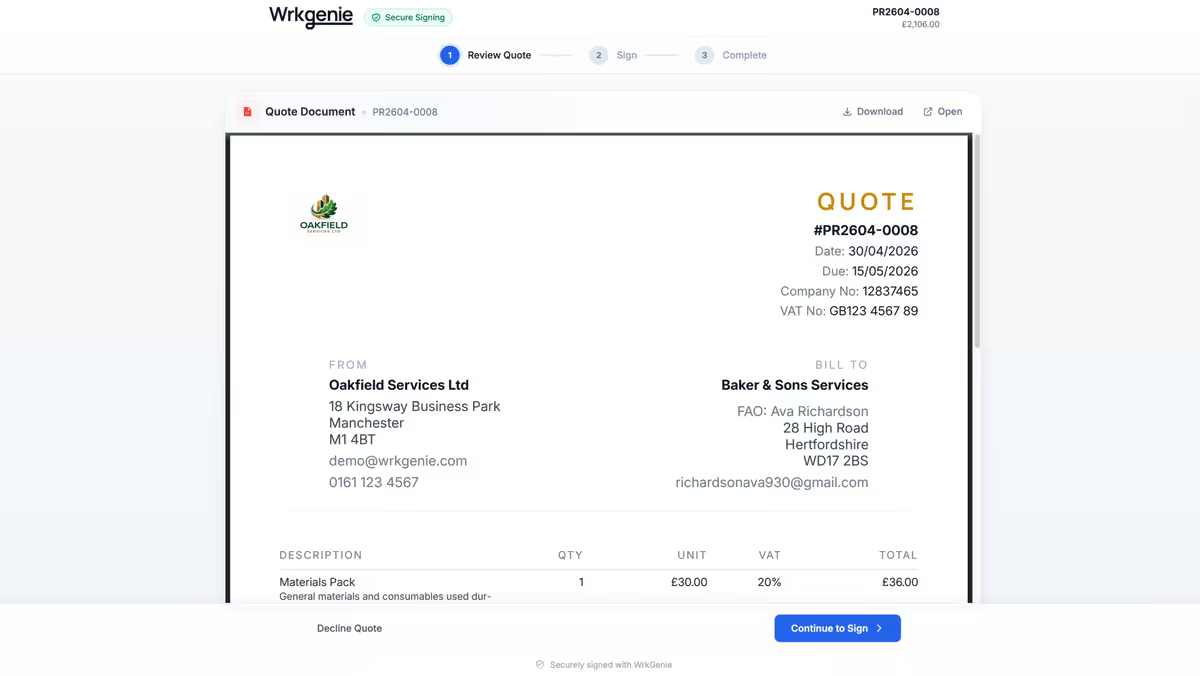
The customer record becomes the starting point for the whole job
Professional quotes are created from the same record that started the job
02 · The quote is sent
You create a quote that feels professional from the first message
Speed matters when a customer is deciding who to trust. Consistency matters because a job that looks professional is easier to win.
You can price the job properly, send it cleanly, and keep the detail with the customer record so it is still there when the customer comes back later.
03 · The booking is made
The quote becomes the booking, and the booking stays organised
Once the quote is accepted, the work is booked. The customer, the address, and the job details stay connected so the day does not unravel by lunchtime.
The calendar is not presented as a separate feature. It is the part that keeps the business moving when the week shifts around you.
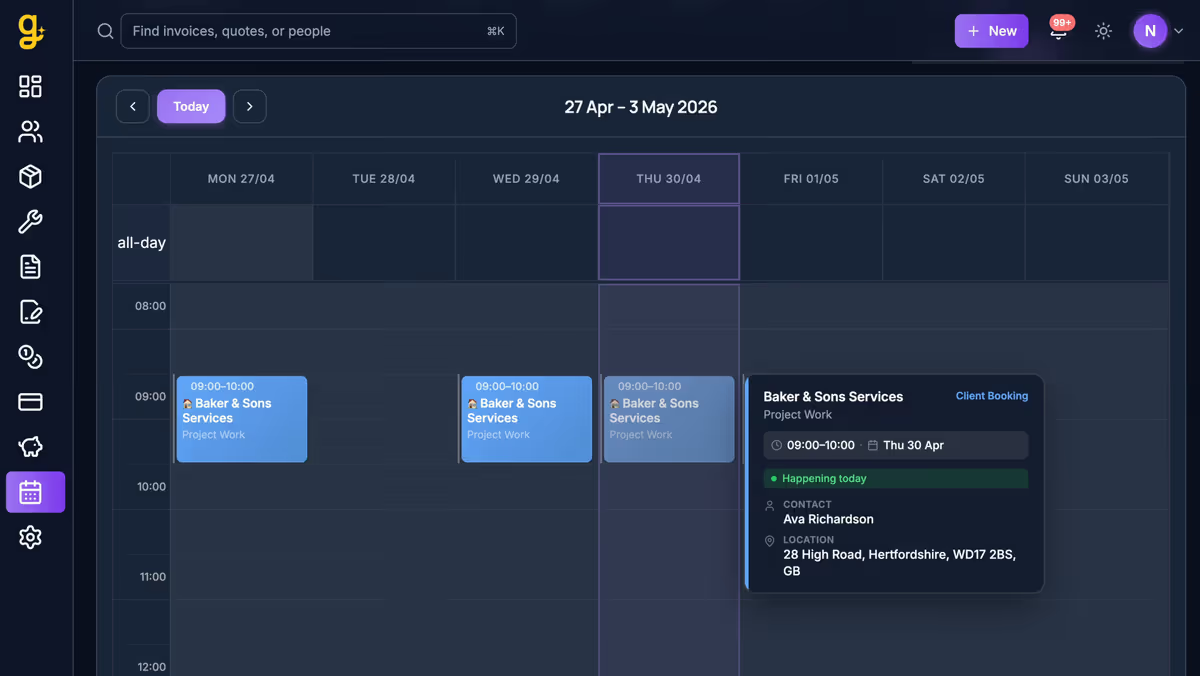
Bookings and diary changes stay visible in one place
Notes, history, and job detail are available when you need them
04 · The work gets done
The job history is there when you need it
You arrive with the right information. The customer history, notes, and previous quotes are already there. No one has to ask what was agreed last time.
If the job changes while you are there, you can update it in the same record instead of carrying the detail in your head until the evening.
05 · The invoice is sent
The admin becomes lighter because quoting and invoicing stay connected
When the work is done, the invoice is created from the same record. No retyping. No chasing paper notes. No discovering later that the invoice was never sent.
That is where a lot of the day-to-day pressure disappears. The invoice is no longer a separate task waiting for the evening.
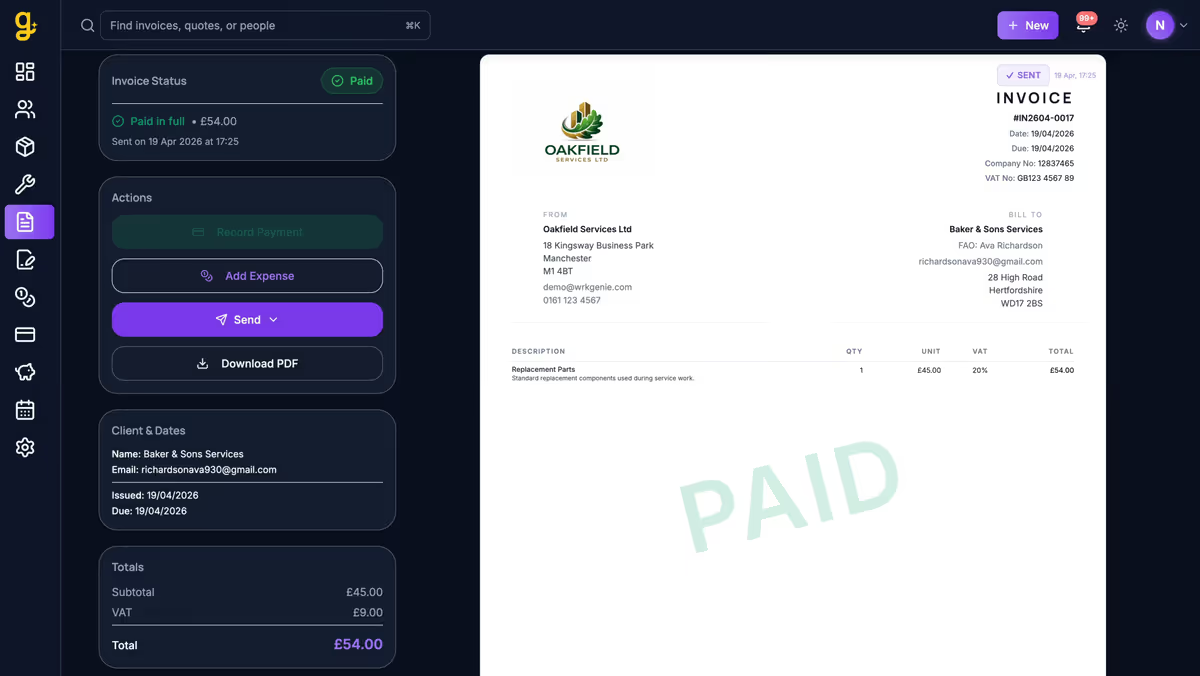
Create and send the invoice from the same job record
Payments and outstanding work stay visible from the same place
06 · The business keeps moving
The loop closes, and the next job is easier
Once the invoice is sent and payment is marked, the customer record is ready for the next time they call. The same history that helped with the last job helps with the next one.
That is the real difference: you are not just tracking work. You are building a business that runs with less friction every time you repeat the cycle.
Why this feels different from other software
The point is not to manage a pile of tools. The point is to run the day without losing track of the work that matters.
No separate systems
Quotes, jobs, notes, invoices, and payment status all live in the same workflow.
Built for the phone
You can update the job while you are on-site, before you leave, or from the kitchen table later.
Less duplicated admin
The same information drives the quote, the booking, the invoice, and the follow-up.
Easier to repeat work
Repeat customers and recurring jobs are easier to manage because the history is already there.
Who this is built for
Any UK service business where the work happens out in the world, not in a front office.
Electricians →
Periodic inspections, callouts, domestic rewires
Builders →
Extensions, refurbs, phased invoicing, multi-week projects
Cleaners →
Recurring weekly and fortnightly contracts, property access
Gas Engineers →
Annual boiler services, landlord portfolios, CP12 tracking
Gardeners →
Seasonal rounds, regular maintenance clients
Window Cleaners →
Round management, recurring payments, add-on services
Plumbers →
Emergency callouts, bathroom fits, repeat customer accounts
Handyman →
Varied day-jobs, quick quotes, same-day invoicing
Common questions
How long does it take to get set up on WrkGenie?
Most people add their first customer and send their first quote within about 20 minutes of signing up. There's no onboarding call, no implementation project, and no training course. You start with the basic information — your business name, trade, and pricing — and add detail as you go.
Can I use WrkGenie from my phone on-site?
Yes — it's designed to be used from a phone. You can check customer notes before you knock on the door, mark the booking complete when you finish, and send the invoice from the driveway before you drive away. The whole workflow is mobile-first.
Is WrkGenie suitable for a sole trader working alone?
Yes. Most WrkGenie customers are sole traders or two-person operations. The system is built around the reality of running everything yourself — doing the work, managing the diary, chasing payments, and dealing with returning customers — not around managing a team.
How does WrkGenie handle recurring customers?
Customer records store the full job history — what you've done, what you charged, what was paid. When the same customer calls back six months later asking for 'the same as last time', you can see exactly what that was. Annual service customers, recurring maintenance contracts, and repeat domestic clients all work in the same customer record system.
What happens to my unpaid invoices?
Outstanding invoices are visible on the customer record, so you always know who owes you before you take on their next job. You can see at a glance whether an invoice is paid, overdue, or still outstanding — without digging through email threads.
Can WrkGenie replace a paper diary and spreadsheet?
Yes — that's exactly what most people switch from. The diary handles scheduling. The customer records replace the spreadsheet. The invoicing replaces Word documents or paper invoices. You don't need to run three systems alongside each other.
One connected workflow
From customer to paid — one record, all the way through
The customer, the quote, the booking, the invoice and the payment all stay connected to the same record. You're not recreating the job at every stage.
- 01
Customer
Customers, contacts and history in one place.
- 02
Quote
Quote from your phone, send it, get it signed.
- 03
Booking & work
Book it into the diary and log the work.
- 04
Invoice
Raise the invoice from the booking — no retyping.
- 05
Payment
Send a payment link and mark it paid.
Ready to run your business from your phone?
Start your free 14-day trial and see how much lighter the day feels when quotes, bookings and invoices live in one place.
On your laptop and phone · iPhone · Android · Web
14 days free · Core £19.99/month for 1 user · Pro £39.99/month for 3 users
No card required to start · No automatic charges after the trial · Cancel anytime