Job management · UK service businesses
Job management software for UK service businesses
Job management software is only as good as what stays connected while you're actually doing the work. WrkGenie keeps the customer, the quote, the booking, the invoice and the payment on one record — on your phone, in poor signal, wherever the job happens.
The problem with running work on memory
A service business starts to leak money in small, invisible ways: a quote that never made it into the diary, an invoice written up days late, a repeat customer whose last job you can't remember. None of it is a disaster on its own — but together it is a tax on every week.
- Customers in the phone, jobs in WhatsApp, invoices in a spreadsheet
- Quotes sent but never turned into booked work
- Invoices raised late and payments chased from memory
- Repeat customers treated like strangers because the history is gone
What job management software should actually do
Stripped of enterprise clutter, the job a service business needs from its software is surprisingly concrete. These are the parts of the day WrkGenie holds together.
Customers and jobs in one place
Every customer has a record, and every job links back to it. When a repeat customer calls, their history is already there.
Quotes that become work
Send a quote from your phone, get it signed, and turn the accepted quote into a booked job without retyping anything.
A diary you can actually run
See what's booked, move jobs when the day shifts, and catch conflicts before they become problems on site.
Invoices from the job
Raise the invoice from the booking — line items, customer and price already filled in — and send it before you leave.
Payments you can see
Send a payment link, mark it paid, and see exactly what's outstanding without building a spreadsheet.
What needs attention next
Upcoming work, overdue invoices and workflow alerts surface together — so the business doesn't live entirely in your head.
One record, from customer to paid
The customer, the quote, the booking, the invoice and the payment stay connected to the same record all the way through. You're never recreating the job at each stage.
Where job management fits in your week
Job management isn't a single feature — it's the connective tissue between winning the work, doing it and getting paid. Follow the flow through each stage.
Built for poor signal
The job doesn't stop when the signal does
Offline working is included on every plan. Keep working with customers, quotes, bookings and invoices when the signal drops. Your changes sync when you’re connected again.
Native iPhone and Android apps, plus the web app
- • See what's booked
- • Raise and update a quote
- • Work through bookings and invoices
- • Record a payment
Online payment processing, e-signing and AI help need a connection. Payment records can be saved offline and synced when you reconnect.
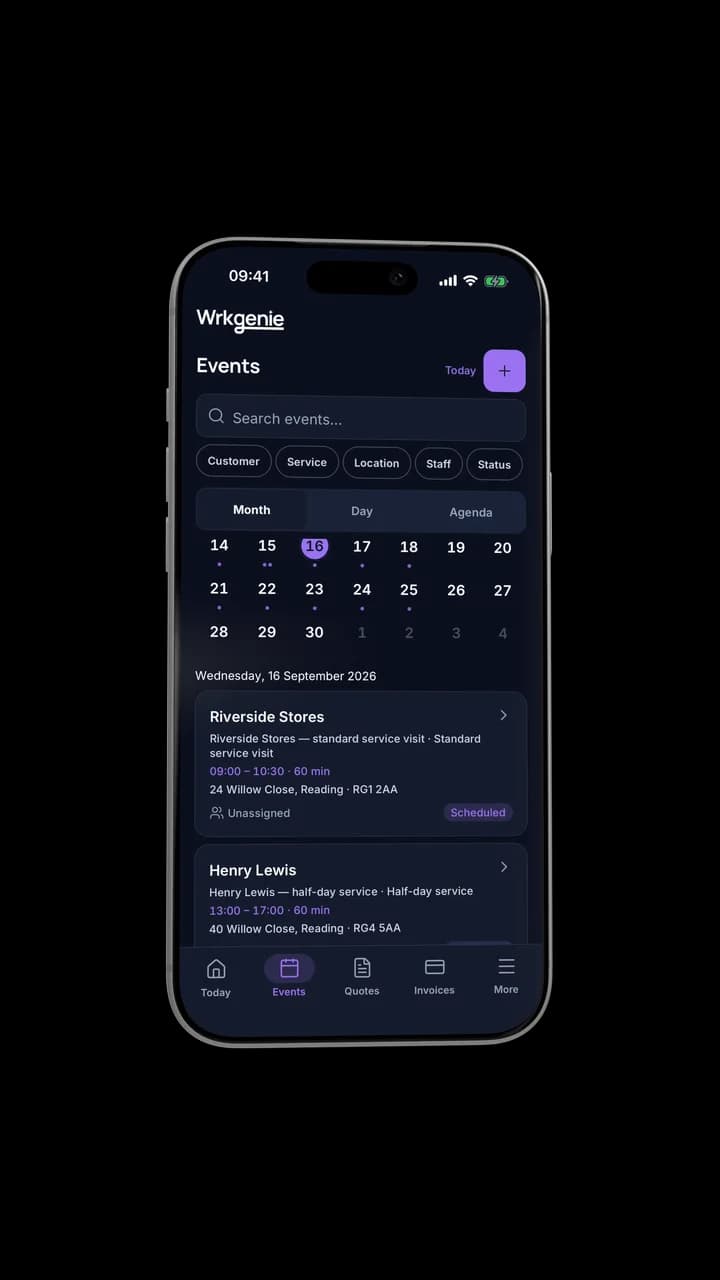
Keep working. Sync when you're back online.
Know what needs attention
See what needs you — before it becomes a problem
WrkGenie surfaces what's coming up, what's overdue and what needs your attention — so the business doesn't live entirely in your head.
- • Upcoming work, at a glance
- • Overdue and outstanding invoices
- • Workflow alerts that flag what needs action
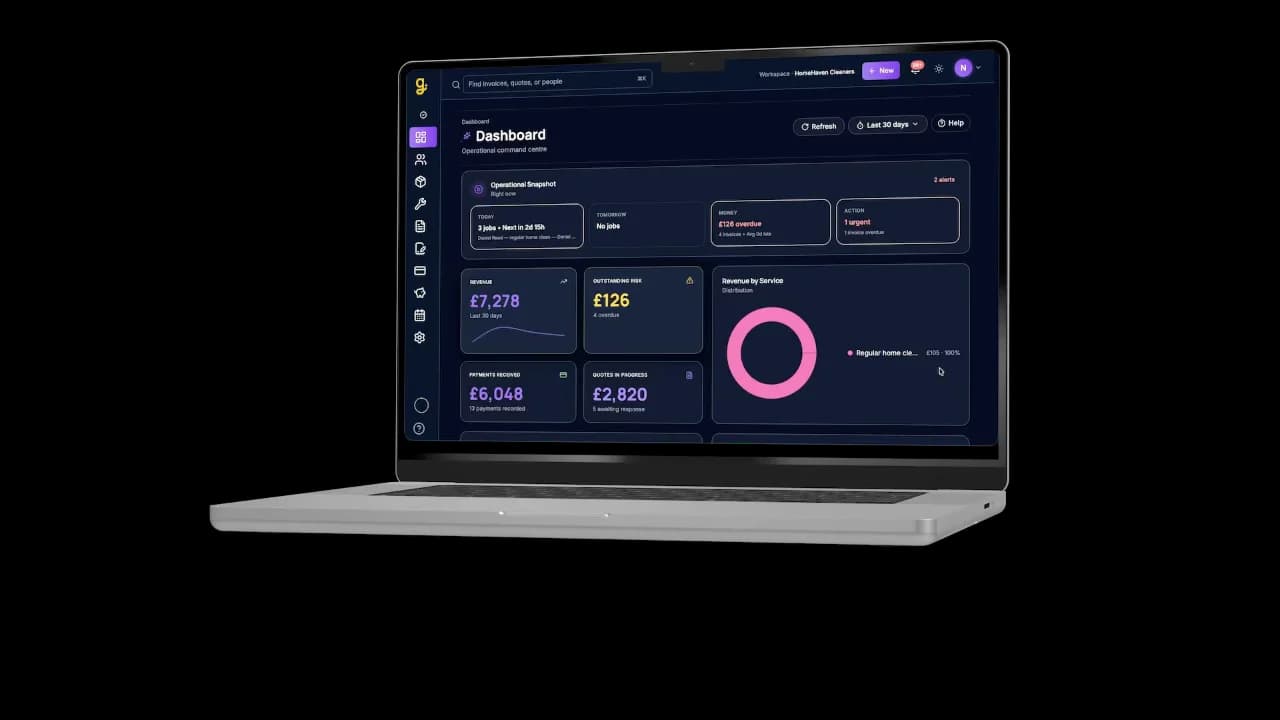
Same business, bigger screen
Designed for the businesses that do the work
WrkGenie is built for owner-run service businesses — the person doing the work is usually the person doing the admin too.
Related capabilities
Industries
Tools & guides
Common questions about job management software
What does job management software actually do?
It keeps the business's activity in one connected place — customer records, quotes, bookings, invoices and payments. Instead of customers in your phone, jobs in a diary and invoices in a spreadsheet, everything links to the same record. When a repeat customer calls, their history is there. When a job is done, the invoice is one tap away.
Is job management software worth it for a sole trader?
For most sole traders past the early stages, yes. The time saved on quoting, invoicing and finding old job details usually outweighs the monthly cost within the first few weeks — and the bigger benefit is fewer missed invoices and forgotten follow-ups.
Can I run it from my phone?
Yes. WrkGenie is a native iPhone and Android app first — built to be used on site, not at a desk. Add jobs, move bookings, raise invoices and see what's outstanding from your phone at any point in the day. The same business is available on the web app too.
Does WrkGenie work without signal?
It keeps working for the core job — seeing what's booked, raising a quote, working through bookings and invoices, recording a payment — then catches up automatically when you're connected again. Online payment processing, e-signing and AI help need a connection.
Does WrkGenie replace spreadsheets?
For most service businesses, yes. A spreadsheet can hold customer and job data, but it can't send invoices, create payment links, flag overdue payments, or connect a quote to a job to an invoice automatically. WrkGenie does all of that in one place.
Ready to run your business from your phone?
Start your free 14-day trial and see how much lighter the day feels when quotes, bookings and invoices live in one place.
On your laptop and phone · iPhone · Android · Web
14 days free · Core £19.99/month for 1 user · Pro £39.99/month for 3 users
No card required to start · No automatic charges after the trial · Cancel anytime