Invoicing · Self-employed UK
Invoicing app for self-employed UK tradespeople
When you're the one doing the work, the invoice has to fit into the day — not become a second evening of admin. WrkGenie lets you raise a UK-compliant invoice on your phone the moment the job's done, send a payment link, and see what's still outstanding.
Invoicing is the second job nobody pays you for
For a self-employed tradesperson, the hardest part isn't the work — it's making sure the money follows it. The invoice gets left until later, the details get rebuilt from memory, and the payment drifts.
- The invoice is deferred until the details are less fresh
- The job history isn't ready, so the invoice is recreated from memory
- The customer gets a reminder instead of a payment link
- Outstanding payments aren't visible without a spreadsheet
Mobile invoicing that fits the day
The invoice should be the natural close to a finished job — not a separate task for later.
Invoice from your phone
Raise a UK-compliant invoice the moment the job is done, while you're still on site.
VAT handled for you
VAT registered? Your number, rate and totals appear automatically. Not registered? Invoices go out clean until you turn it on.
Payment links
Every invoice includes a link the customer taps to pay by card — no sort-code conversations.
Outstanding, visible
See which invoices are paid and which aren't, so chasing is quick and never awkward.
Connected to the job
The invoice links to the customer and the job — the history builds itself as you work.
Invoice it, then mark it paid
The invoice is raised on the phone and sent with a payment link — then the payment status lands back on the customer record.
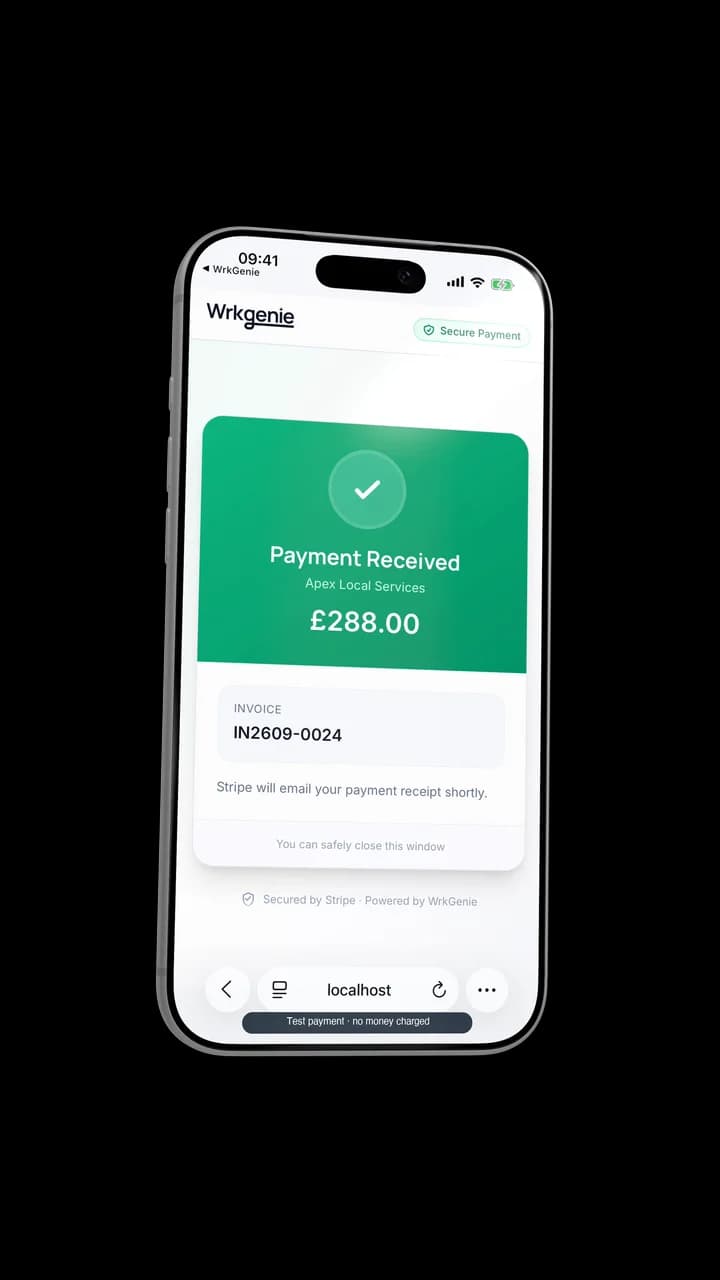
Invoice it, then mark it paid
The invoice connects to the bigger picture
This page is about the self-employed invoicing angle. For the full invoicing workflow — quotes that convert, deposits and balances, and payment tracking — see the main invoicing pillar.
Useful for self-employed invoicing
For one-off invoices and quick VAT checks, these free tools work without signing up.
Related capabilities
Industries
Tools & guides
Invoicing questions from UK sole traders
Do I need to register for VAT as a self-employed tradesperson?
You must register once your taxable turnover exceeds £90,000 in any 12-month rolling period. Below that, registration is optional. If you're not registered, invoices shouldn't show VAT. WrkGenie adjusts automatically — no VAT fields appear until you turn them on when you register.
What information must a sole trader invoice include?
Your name or trading name and address, a unique sequential invoice number, the date issued and payment due date, a description of the work and the amount due. If VAT registered, also your VAT number, the rate and the VAT amount as a separate line. WrkGenie generates all of this automatically.
How quickly should I send an invoice after a job?
As soon as possible — ideally the same day, while you're still on site. Invoices sent the same day the job is done tend to be paid faster than ones sent days or weeks later. WrkGenie is built around on-site invoicing.
What should I do if a customer doesn't pay?
Start with a polite reminder — many late payments are oversights. WrkGenie shows which invoices are overdue so you can follow up without digging through email. If reminders don't work, a formal letter before action is the next step.
Ready to run your business from your phone?
Start your free 14-day trial and see how much lighter the day feels when quotes, bookings and invoices live in one place.
On your laptop and phone · iPhone · Android · Web
14 days free · Core £19.99/month for 1 user · Pro £39.99/month for 3 users
No card required to start · No automatic charges after the trial · Cancel anytime