Invoicing · UK service businesses
Invoicing software for UK service businesses
WrkGenie isn't an isolated invoice generator — the invoice belongs to the job. Finish the work, raise the invoice from the booking, send a payment link and keep the payment status connected to the customer record. VAT and line items are already in place.
The invoice is where the money usually gets stuck
The work is done, but the invoice gets deferred to the evening — then forgotten. The customer has to chase, the details have to be rebuilt from memory, and the payment drifts into next month.
- The job finishes and the invoice never gets sent
- Customer, line items and price are re-entered because nothing is connected
- There's no obvious next step once the job is marked complete
- Payment status lives in a spreadsheet that's always three days out of date
What invoicing software should do for you
The invoice should be the natural next step after the job — not a separate task at the end of the day.
Invoice from the job
Raise the invoice straight from the booking. Customer, line items and agreed price carry over — nothing retyped.
VAT handled automatically
VAT registered? Your VAT number, rate and totals appear on every invoice. Not registered? Invoices go out clean until you turn it on.
Payment links
Every invoice includes a payment link the customer can tap to pay by card — no bank-transfer guesswork.
Record the payment
Mark it paid when the money lands and the status updates on the customer record automatically.
Overdue and outstanding, visible
See what's been paid, what's outstanding and what's overdue — so chasing is quick and never awkward.
Deposit and balance invoices
Raise a deposit against the quote, then the balance on completion — all against the same job record.
From finished job to paid
The invoice is raised from the booking, sent with a payment link, and the payment lands back on the customer record.
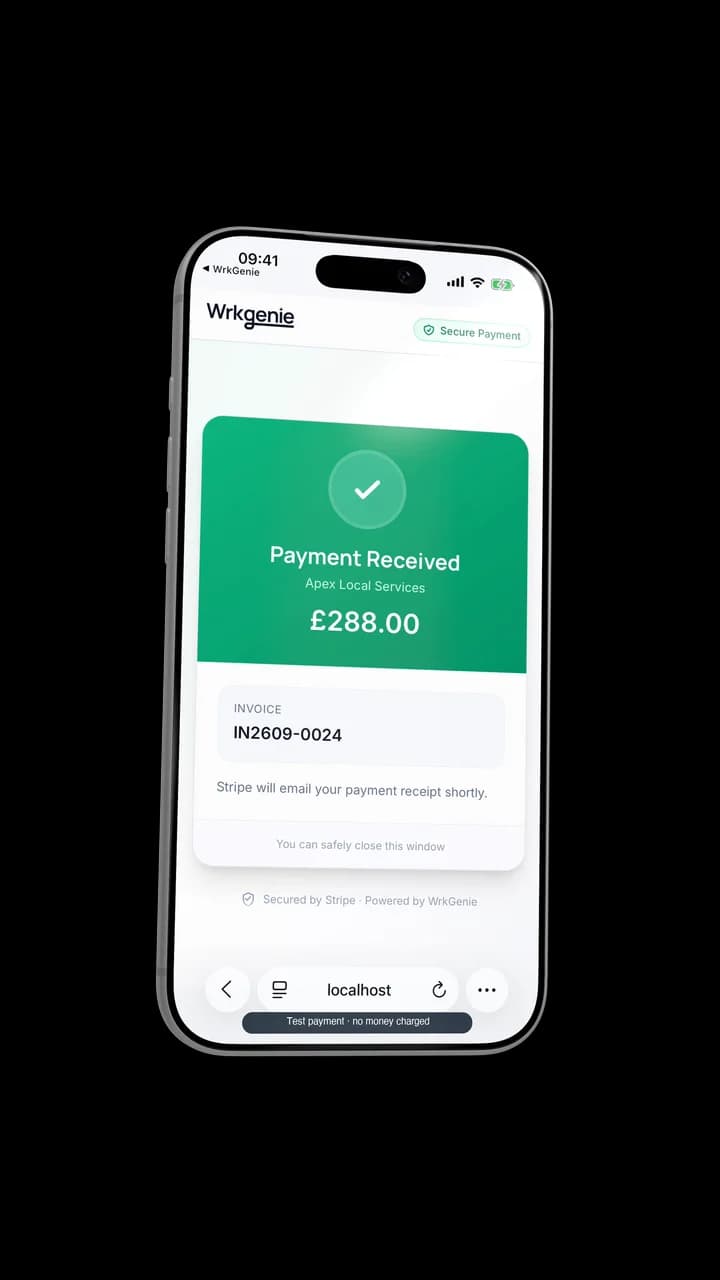
Invoice it, then mark it paid
The invoice belongs to the workflow
WrkGenie is deliberately not an accounting suite — it's the operational end of the job. The invoice closes the loop the quote opened.
Useful next steps for getting paid
For one-off invoices or quick VAT checks, these free tools do the job without signing up.
Related capabilities
Industries
Tools & guides
Common questions about WrkGenie invoicing
Can I create invoices from my phone?
Yes. WrkGenie is mobile-first — raise and send a full UK-compliant invoice from your phone the moment the job is done, while you're still on site. No laptop, no paperwork to catch up on later.
Can I add VAT to invoices automatically?
Yes. If you're VAT registered, enable VAT in your settings and WrkGenie adds your VAT number, the correct rate and the VAT amount to every invoice. The current UK VAT registration threshold is £90,000 turnover. If you're not registered, invoices are sent without VAT fields.
Can customers pay invoices online?
Yes. Every invoice includes a payment link, so customers can pay by card directly from the invoice. When the payment lands you mark it paid and the customer record updates.
Can I convert a quote into an invoice?
Yes. Once the quoted job is complete, convert it to an invoice in one tap — line items, customer details and the agreed price carry over automatically. No rekeying, no copy-pasting between apps.
Is WrkGenie a full accounting package?
No — and that's deliberate. WrkGenie covers the operational invoicing end: raising invoices, sending payment links, and tracking what's paid and outstanding. It's not a bookkeeping suite or a tax-filing tool. For that you'd still use an accountant; WrkGenie keeps the job records clean for them.
Ready to run your business from your phone?
Start your free 14-day trial and see how much lighter the day feels when quotes, bookings and invoices live in one place.
On your laptop and phone · iPhone · Android · Web
14 days free · Core £19.99/month for 1 user · Pro £39.99/month for 3 users
No card required to start · No automatic charges after the trial · Cancel anytime