For UK bricklayers
Bricklaying Software for UK Bricklayers & Small Crews
Quote labour and materials, schedule the crew, and invoice on site
Job management software for bricklayers from £19.99/month. Customer, quote, job, invoice and payment in one place — no estimating modules you won't use.
Free for 14 days · No card required · Cancel anytime
On your laptop and phone · iPhone · Android · Web
Your day, on the phone
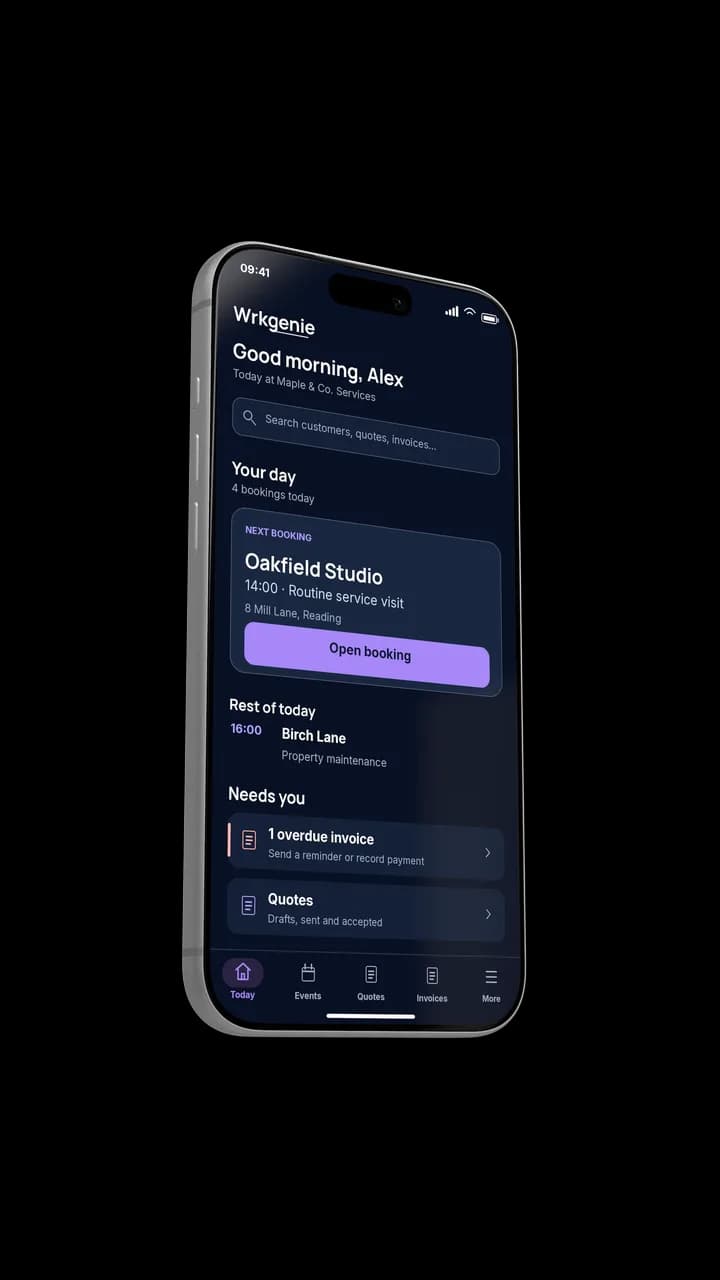
Your whole day, at a glance
How bricklayers actually work
Bricklaying is quotes, materials and the crew
The work is priced by labour and materials, done on site with a small crew, and paid when the job is finished. What hurts is keeping the quote, the materials and the crew straight without a heavyweight construction platform.
From quote to paid
A simple loop that keeps the job and the money moving without a construction platform.
- 1
Quote
Labour and materials priced on the phone and sent.
- 2
Crew scheduled
The job lands in the diary with the crew attached.
- 3
Work done
Completed on site, notes kept on the record.
- 4
Invoice
Raised at the end of the job or at the agreed stage.
- 5
Paid
Payment marked on the customer for next time.
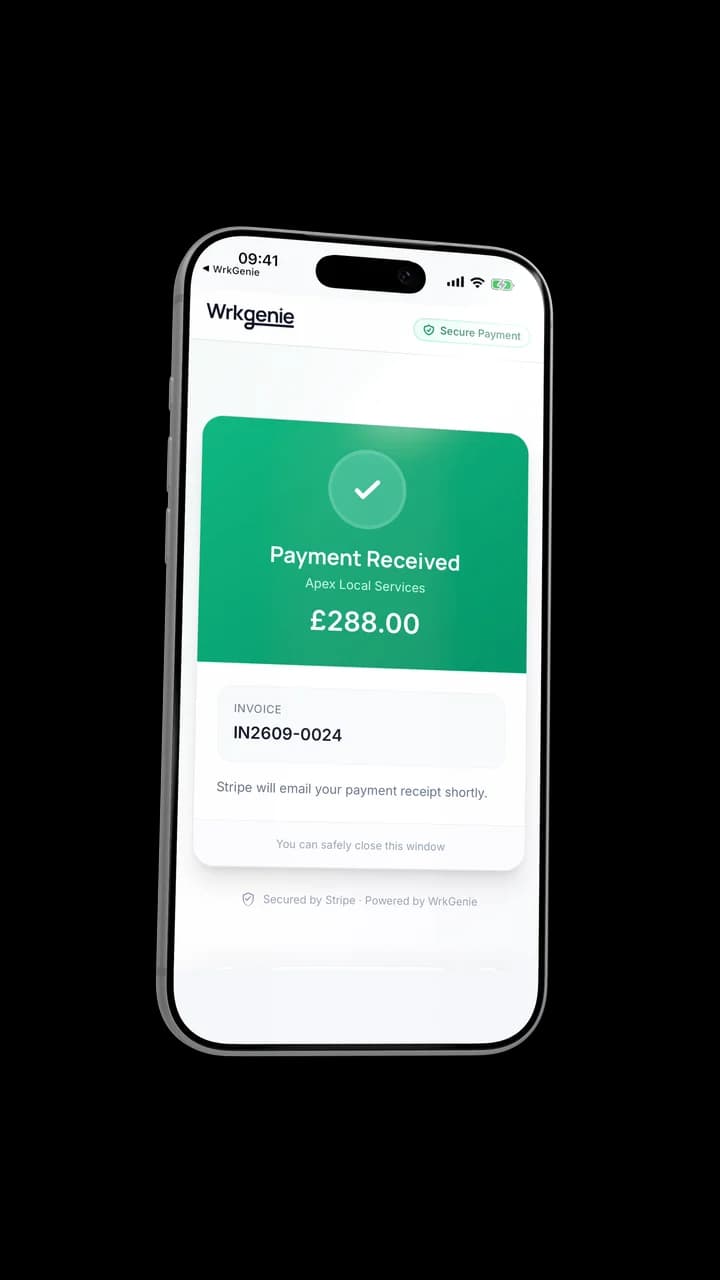
Turn an enquiry into a quote
The materials quote becomes the job
Labour and materials are priced on the phone and sent, then the accepted quote carries into the booked job.
What matters most for a bricklayer
The capabilities that earn their keep keep pricing and the crew simple.
Labour and materials, separate lines
The quote shows what is labour and what is materials — and the invoice matches it.
The crew in one diary
Jobs and the crew scheduled together, moved when weather or materials change.
Invoice at the end of the job
Raised from the job with a payment link, or at agreed stages for bigger work.
Costs against the job
Materials and plant logged so the quote and the invoice match what you actually did.
Built for the phone
The wall is the office
The quote, the crew diary and the invoice all happen on a phone on site — no laptop in the van.
Poor signal · Offline included on every plan
Keeps going on site
Core work — the job, the notes and the invoice — keeps working when the signal is poor, then catches up when you are connected. Online payment processing, e-signing and AI help need a connection.
WrkGenie Pro
More control with Pro
See what you’re earning, keep track of expenses, and organise who’s doing the work — whether you work alone or with a team.
- Profit insights and business expenses
- Team and staff bookings
- Customer booking invitations and reminders
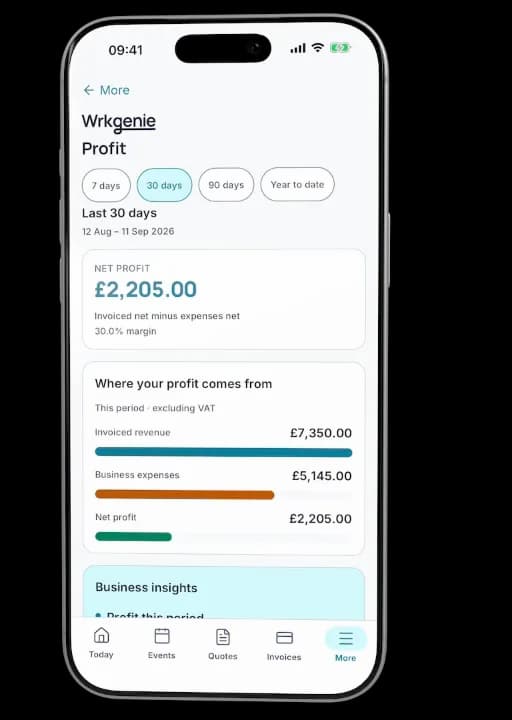
Profit, expenses and bookings in one place
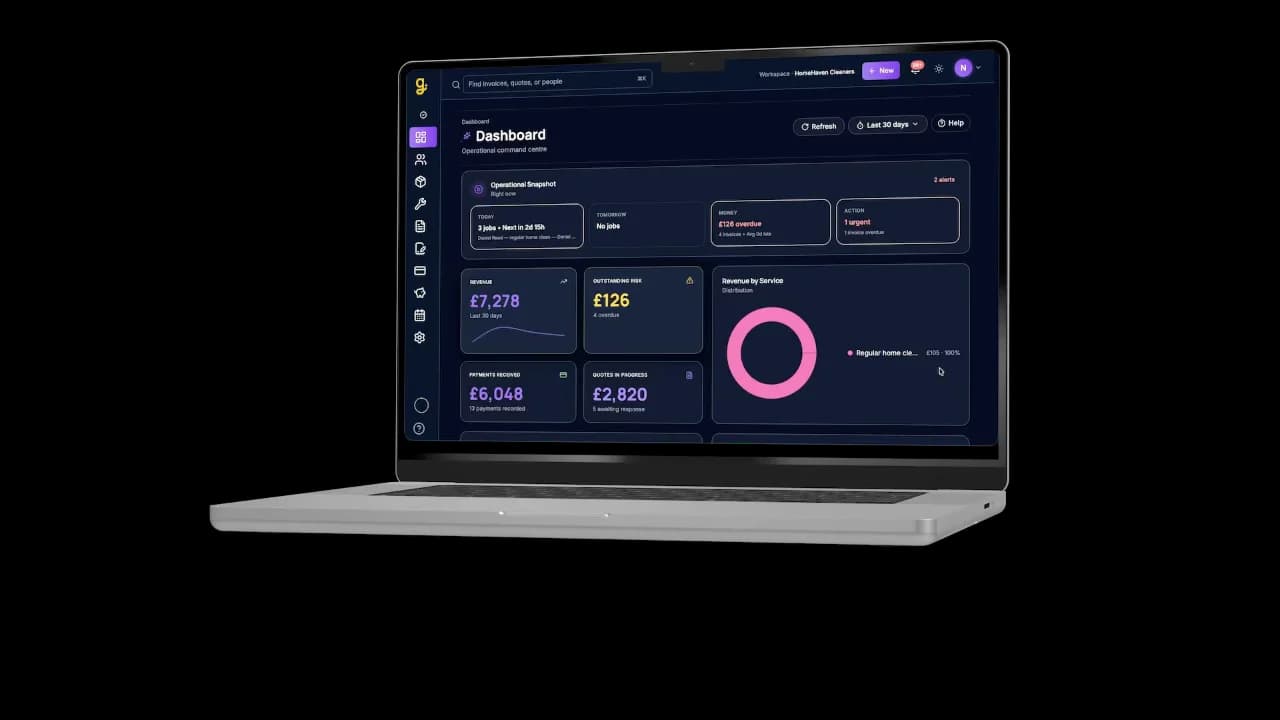
Same business, bigger screen
Desktop
See what needs your attention
Open WrkGenie on your laptop for a bigger view of upcoming work, outstanding invoices and the jobs that need a follow-up. Everything stays connected to your phone.
Free tool
Bricklaying quote calculator
Price a bricklaying job from labour and materials, then enter the price manually in WrkGenie.
Free · no account needed · works on your phone
Where this fits the wider product
Most relevant capabilities
Read: How to quote a job
Price and run the job without the machinery
Quotes, the crew and invoicing in one place — so bricklaying work stays simple and the money follows the wall.
Start your 14-day free trialCommon questions from bricklayers
Can I quote labour and materials separately?
Yes. Build a quote with labour and materials on separate lines, send it to the customer, and convert it into a job once they agree.
Does it work for a small crew?
Yes. Core (£19.99/month) covers a solo bricklayer; Pro (£39.99/month) adds expense tracking, profit insights and customer booking invitations and reminders for solo owners as well as teams. Three users and staff scheduling are included when you need them.
Can I track materials and plant costs against a job?
Yes. Log materials, plant, and other direct costs against the job record so the quote and invoice match the work you actually did.
Can I invoice at milestones?
Yes. Raise a deposit, mid-job, or completion invoice from the same job record — useful for larger jobs where staged payment keeps cash flowing.
Is it better than a spreadsheet for a bricklayer?
If you're juggling two or three jobs with different materials, crew time, and payment stages, one view of quotes, jobs, and invoices beats rebuilding a spreadsheet every week.
Simple pricing. No surprises.
Core and Pro: 14 days free · No card required · No automatic charges after the trial.
Android, iPhone, Web and AI writing assistance included with every plan.
On your laptop and phone · iPhone · Android · Web
Core
Everyday essentials for solo businesses
Free for 14 days
- 1 user included
- Customers & contacts
- Products & services
- Quotes with customer e-signing
- Bookings & calendar
- Invoices & payment recording
- Invoice payment links via Stripe
Free for 14 days · No card required · Add payment details to continue
Pro
More control for solo owners and teams
Free for 14 days
- 3 users included
- Everything in Core
- Track business expenses
- Team & staff bookings
- Customer booking invitations & reminders
- Profit dashboard on Web · Profit snapshot on mobile
Free for 14 days · No card required · Add payment details to continue
White Label
Your business. Your branding.
Available through a sales enquiry
- 5 users included
- Everything in Pro
- Custom logo & business branding
- Custom domain
- Google & Outlook calendar sync
- Custom email sending
Contact us to discuss your branding and setup.
Core includes invoice payments. Choose Pro for expense tracking, profit insights and customer booking notifications — whether you work alone or with a team.
Can I take invoice payments on Core?
Yes. Record payments against invoices and let customers pay through an invoice payment link. Online card payments need a connected Stripe account; Stripe processing fees apply.
Is Pro useful if I work alone?
Yes. Pro adds expense tracking, profit insights and customer booking invitations and reminders. You can use those features as a solo owner. Three user accounts and staff scheduling are included if you also need a team.
Do I need to enter my card details?
No — no card is required to start your 14-day free trial. Add your payment details before your trial ends to continue. No automatic charges.
What happens after 14 days?
Your access is paused. Add a payment method and choose a plan to continue — no automatic charges are taken.
Can I cancel easily?
Yes — you can cancel in just a couple of clicks from your account settings. No contracts, no exit fees.
How do I cancel?
Log in to your workspace, go to Settings → Billing, and click Cancel subscription. Your subscription remains active until the end of the current billing period — no immediate cut-off.
Compare what is included
| Feature | Core | Pro | White Label |
|---|---|---|---|
| Invoice payment recording | |||
| Invoice payment links via Stripe | |||
| Bookings & calendar | |||
| Customer booking invitations & reminders | |||
| Expense tracking & profit insights | |||
| User accounts included | 1 user | 3 users | 5 users |
| Role-based permissions | |||
| Read-only (viewer) access | |||
| Admin role | |||
| Invite team members by email | |||
| Team & staff bookings |
Cancel in 2 clicks. No contracts. No exit fees.
Real human support — we reply within one working day.
All prices in GBP (£). WrkGenie is not currently VAT registered. Prices shown are the full amount charged. Plans renew automatically each month from the recurring price shown. Cancel anytime in your account settings. Payments processed securely by Stripe. See our Billing Terms and Refund Policy.
Ready to run your business from your phone?
Start your free 14-day trial and see how much lighter the day feels when quotes, bookings and invoices live in one place.
On your laptop and phone · iPhone · Android · Web
14 days free · Core £19.99/month for 1 user · Pro £39.99/month for 3 users
No card required to start · No automatic charges after the trial · Cancel anytime